The Statistics window
You feel that you worked all day, and that the coding agents did most of the work. Without numbers, you cannot know how long you really worked, what each person changed, or what the coding agents cost.
What Heidrun Code does
The item "Statistics" of the More menu opens the Statistics window. The Statistics window has two tabs: "User activity" and "Work of one person". Each chart has a legend. Move the pointer over a bar to see the numbers of the bar in an information card.
The tab "User activity"
The tab "User activity" shows when and where you work in front of Heidrun Code.
- The histogram of the user activity time has one bar for each slot of time. Each bar has one color for each workspace, so you see where your time went.
- Choose the time range: the last day, the last week, or the last month.
- Choose the slot length, for example 1 hour in the last day, or 1 day in the last month.
- Choose the workspaces to show.
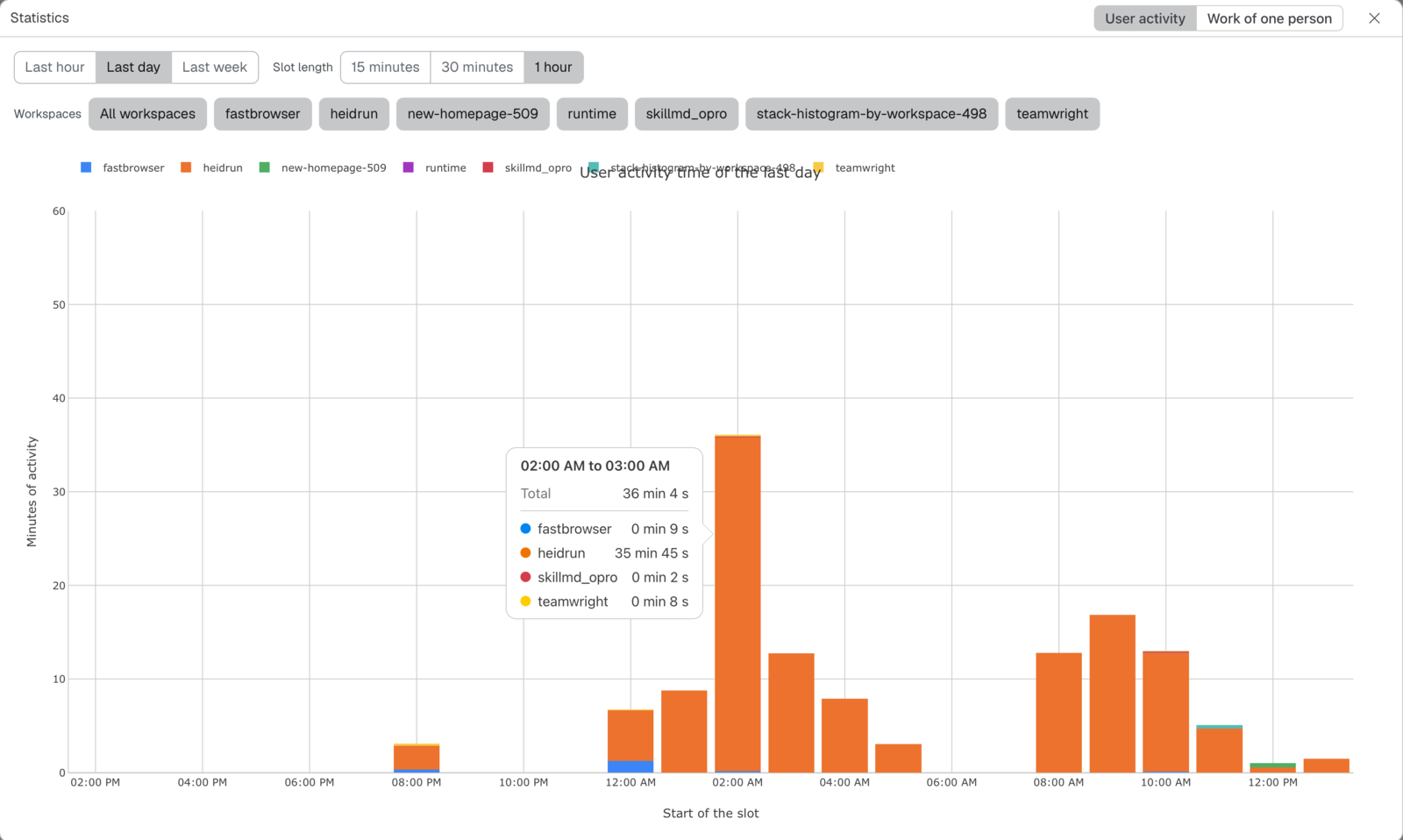
You are active when you press a key, click, or move the mouse in the Heidrun Code window. After 5 seconds without an action, you are no longer active. Heidrun Code counts the time of the workspace that you selected, only while the Heidrun Code window is in front.
Heidrun Code keeps each active period in the file ~/.config/heidrun_code/user_activity.jsonl on your computer. A record holds the folder of the workspace, the times, and the number of keyboard actions and of mouse actions. It never holds a key that you typed, and never a text of the screen.
The tab "Work of one person"
The tab "Work of one person" shows the work of the last 7 days or of the last 30 days, with one bar for each day. Choose the source of the numbers:
- "Git history": the commits, the pull requests, and the issues of one person, in the repository of the selected workspace. The person chooser lists each person who worked in the last 30 days, the most active person first. Five totals give the number of commits, of pull requests, of issues, of lines added, and of lines deleted. Under each total, its average per day.
- "AI cost": the estimated cost in US dollars of the chats of Claude Code and of Codex on this computer, for each day. It counts the chats that started in a worktree or in a sub-folder of the repository, the subagents and the workflows of Claude Code, and the old chats that Codex compressed. Three totals give the cost of Claude Code, the cost of Codex, and the two together, each with its average cost per day.
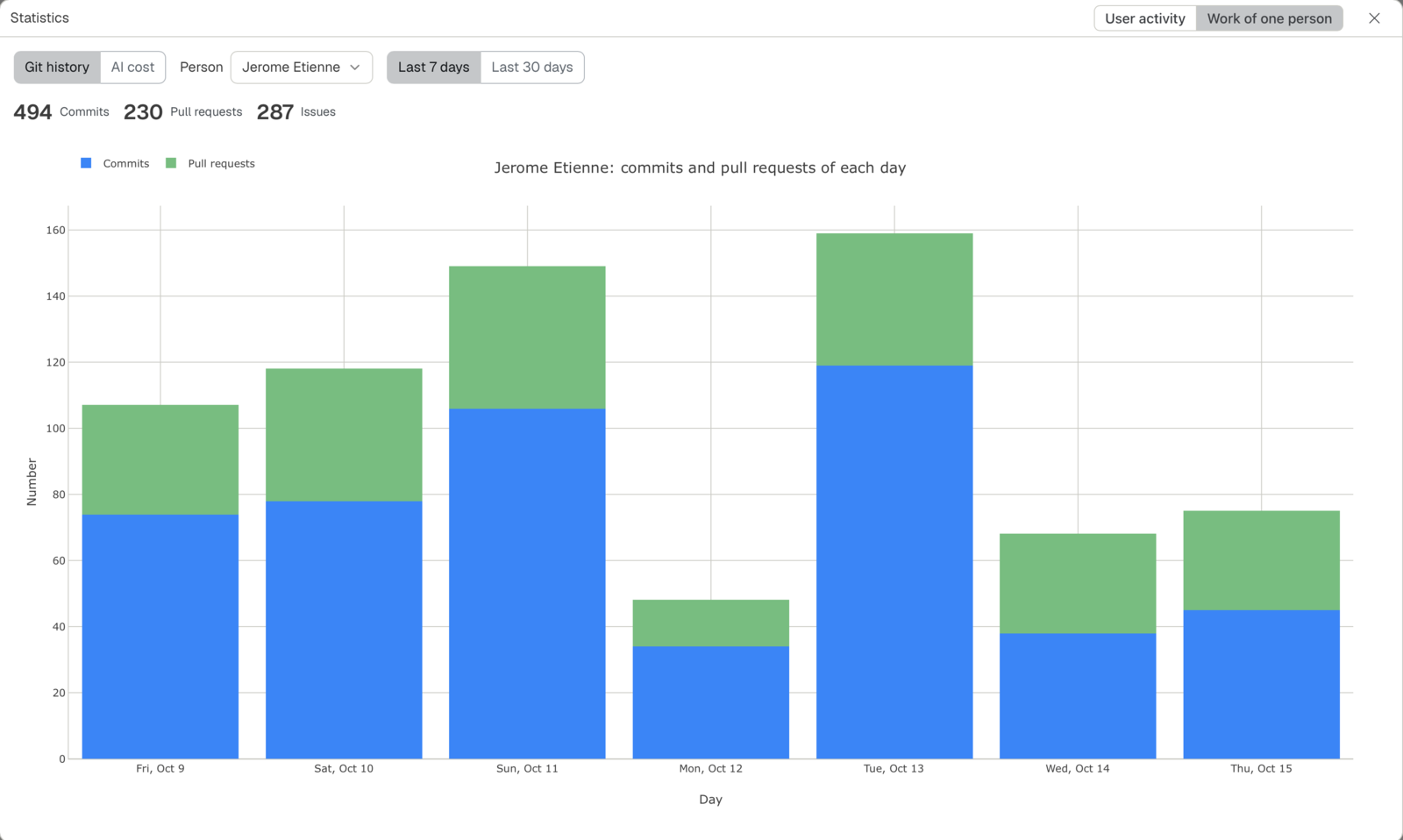
The numbers help you to see how your work changes from one day to the next, and what the coding agents cost compared with the work that they gave.
The einherjar count the boars that they ate. You count the commits.