Find files and project information
Use the sidebar sections to browse files, search text, review local changes, and look up hosted issues.
Open a sidebar section
Select a section from the sidebar icon bar. File explorer browses project files; Source control shows local Git changes; Code hosting shows issues and pull requests for the selected workspace's remote repository.
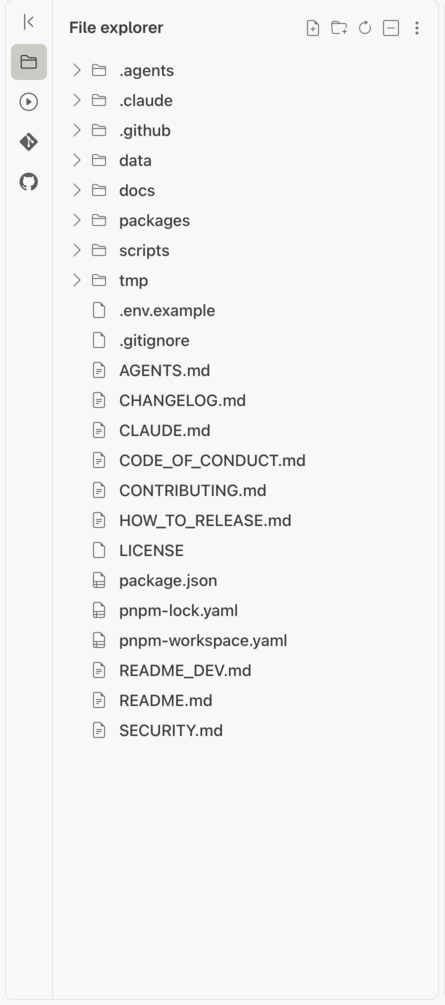
Search within files
Open Search in files, enter text, and choose Match case or Regular expression when needed. Select a result line to open the file at that location.
Review local changes
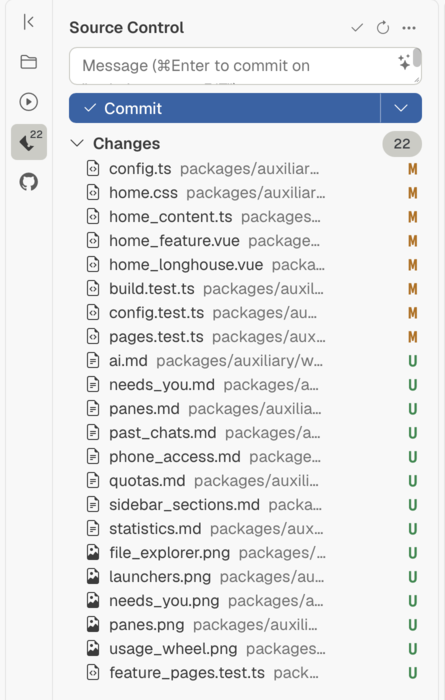
Open Source control to inspect changed files and select a file to review its diff. These changes come from the local repository.
Related pages
- Search code hosting issues: search issues and pull requests from the repository host.
- Open and edit files: work with a file in a pane.