Find and review past chats
Find a previous coding agent chat and inspect its files, dates, references, worktrees, and topics.
Find a chat
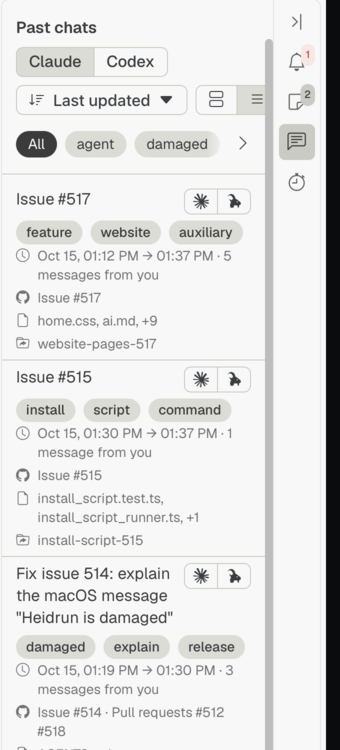
Open Past chats in the sidebar and use its search and sort controls to find a chat. Select a chat to review its summary.
Inspect chat details
Select a dates, files, references, or worktrees line in a chat summary to open its information card. Select a line again, press Escape, or click outside the card to close it. The files card provides actions for files that are available in the repository; the worktrees card can open an existing worktree as a workspace.
Explore chat topics
Use the dynamic topics controls in Settings to choose how topics are found and shown for past chats. Keyword extraction stays on this computer; language model extraction uses the installed coding agent.
Related pages
- Search code hosting issues and pull requests: find hosted work related to a chat.