Explore activity and work statistics
Open the Statistics window to review user activity, Git history, and estimated AI cost.
Open Statistics
Open the More menu and choose Statistics. Select a tab in the window to view its data.
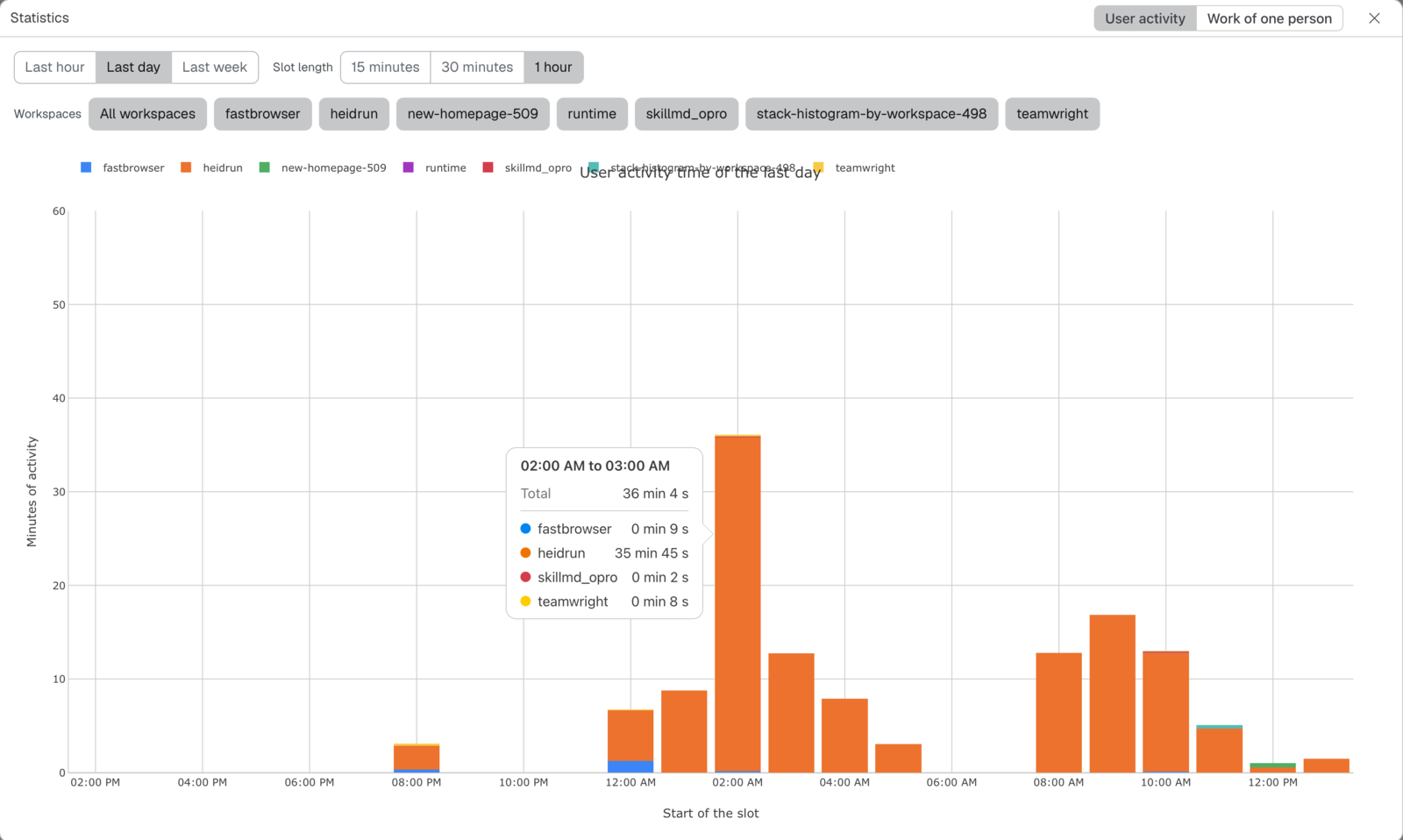
Explore user activity
Choose the time range and workspaces shown in the User activity tab. Read the stacked chart by workspace; point to a bar to see its details. The window remembers supported selections between visits.
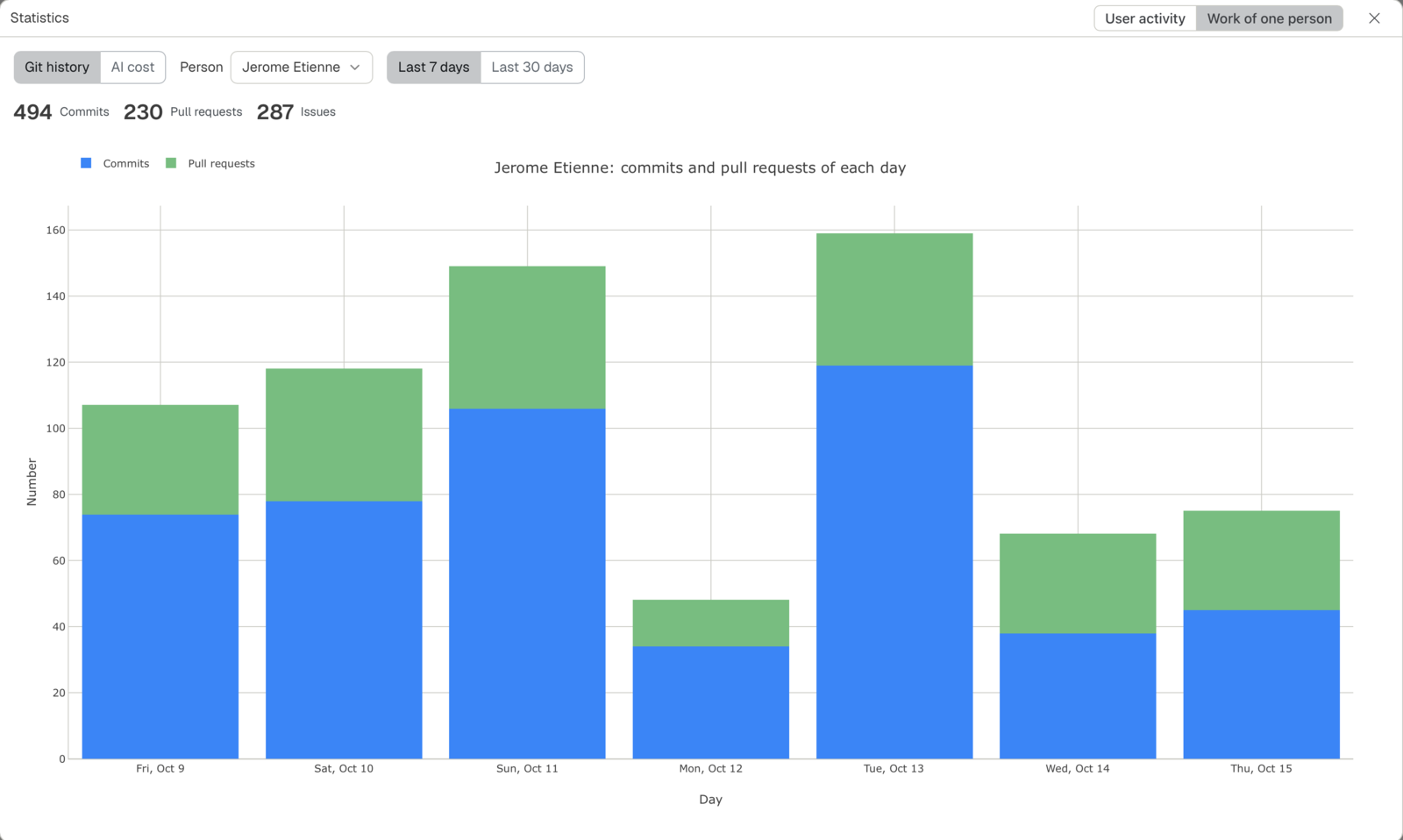
Explore one person's work
In Work of one person, choose a person, source, time range, and workspace. Select chart legend entries to filter the chart; each chart keeps its own filter. Git history and AI cost are separate sources, and the values are summaries rather than direct measures of all work.
Related pages
- Review activity in the sidebar: see recent user activity.