The quotas and the usage wheel
A coding agent works inside two limits:
- The context window: the quantity of text that the coding agent can keep in mind in one chat.
- The quota of your subscription: Claude and Codex let you use them only a certain quantity in 5 hours and in one week.
When the coding agent reaches a limit, the work stops. Without help, you learn about the limit only when it is too late.
The usage wheel
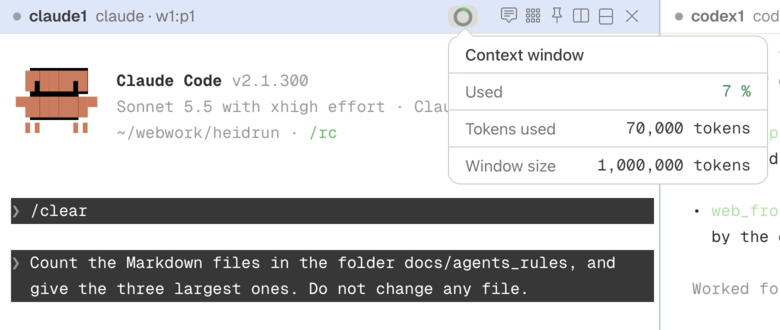
The header of each pane shows a usage wheel: a small circle that fills like a ring while the coding agent uses its context window.
- Below 60 percent, the usage wheel has the normal color.
- From 60 to 80 percent, the usage wheel has the warning color.
- Above 80 percent, the usage wheel has the critical color.
Click the usage wheel to see the percent used, the number of tokens used, and the size of the context window.
The quotas in the status bar
The status bar, at the bottom of the window, shows the usage of Claude and the usage of Codex. Click one of them to open its information card:
- The percent of the quota that you used, for 5 hours and for the week.
- The time of the next reset.
- The pace: your usage, compared with the usage that is expected at this time. Heidrun Code tells you the usage at the reset if you keep this pace, or how much to reduce your usage when the quota will run out early.
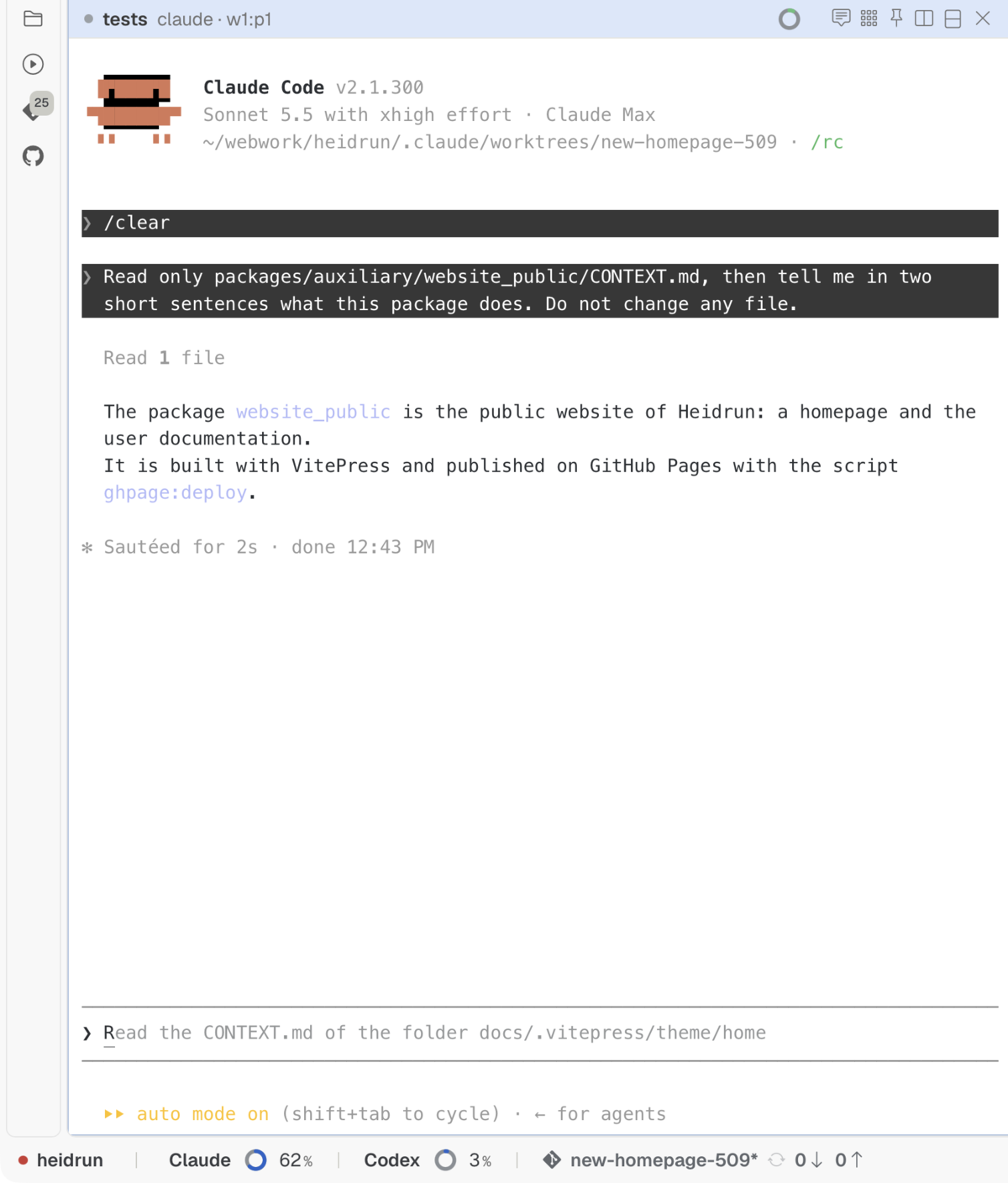
In the Settings window, choose your working days: the pace of the weekly quota supposes that you use the coding agents on these days only. The status bar shows only the quotas of the coding agents that you enabled in the Settings window.
Valhalla has mead without end. Your subscription does not.